
What CostObserver Surfaces That AWS Cost Explorer Misses
Cost Explorer tells you what you spent. It cannot tell you whether the IAM role iterating through assume-role calls is a deployment script or an enumeration attack. That distinction is where incidents compound.

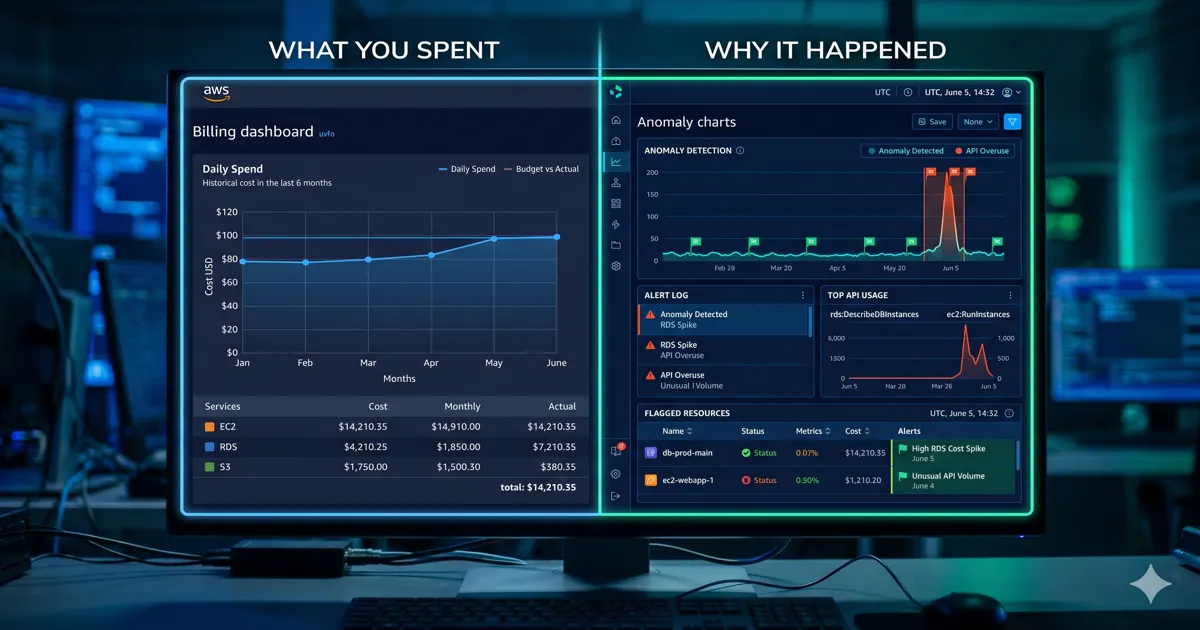
Cost Explorer tells you what you spent. CostObserver tells you whether it is safe to ignore.
That is a different question. And for most teams, it is the question that does not get asked until something has already gone wrong.
This blind spot is not unique to Cost Explorer. Native AWS tools and most third-party FinOps platforms are fundamentally siloed from your security telemetry. They were built to answer billing questions. The security context lives elsewhere, in GuardDuty, CloudTrail, VPC Flow Logs, and nobody built the bridge between them.
Here are three specific examples of what that gap looks like in practice, and what CostObserver surfaces that the billing layer cannot.
Blind Spot 1: API Cost Spikes That Look Like Normal Usage
A team notices a gradual increase in KMS and STS API charges over two weeks. In Cost Explorer it looks like a noisy but unremarkable uptick in API request costs. No single day is alarming enough to trigger an anomaly alert. The FinOps team notes it and moves on.
What Cost Explorer cannot show: which IAM principal is generating those calls, what it is calling, and whether the pattern matches normal application behaviour.
What CostObserver surfaces: a single over-permissioned execution role iterating through hundreds of AssumeRole calls across multiple accounts, with no corresponding application deployment in that window. That pattern is textbook IAM enumeration. An attacker with a foothold uses it to map what the compromised role can access before escalating.
The cost signal was there for two weeks. It just looked like API noise.
Blind Spot 2: The Cost Optimisation That Creates a Compliance Violation
A FinOps review flags an unattached EBS volume billing $400/month. No instance attached. No recent snapshots. Standard recommendation: delete it, save the money.
What Cost Explorer cannot show: why that volume exists, what it was attached to, and whether deleting it creates a problem beyond the billing line.
What CostObserver surfaces: the volume was originally attached to an instance tagged PCI-DSS: true. It was detached during an incident response six months ago and never scrubbed. Deleting it without a proper data destruction process is a compliance violation, not a cost saving.
This is the category of risk where FinOps operates blindly without security context. Cost optimisation recommendations must be actively blocked when a compliance tag or security misconfiguration is detected on the same resource. A right-sizing recommendation without that context is not a recommendation. It is a guess that can cost more to fix than the $400/month it was saving.
Blind Spot 3: NAT Gateway Traffic That Is Not What It Looks Like
A NAT Gateway data processing spike appears in Cost Explorer. The account runs ECS workloads in private subnets. The FinOps team assumes it is ECR image pulls or S3 patch traffic, the usual suspects from a data path audit.
What Cost Explorer cannot show: where that traffic is actually going.
What CostObserver surfaces: VPC Flow Logs overlaid on the billing spike show the outbound traffic is not going to AWS service endpoints. It is going to an external IP that does not appear anywhere in the account’s normal traffic baseline. The NAT Gateway is not processing deployment traffic. It is processing egress to an untrusted destination.
The billing anomaly and the exfiltration signal are the same event. Cost Explorer sees one half. CostObserver connects both.
What CostObserver Actually Does Differently
The three examples above share the same structure: a cost signal that looks routine until you add the security context. The billing layer is not wrong. It is just incomplete.
CostObserver closes that gap in three specific ways.
Cost anomalies with a security timeline attached. When a billing spike appears, CostObserver overlays the corresponding CloudTrail activity, GuardDuty findings, and IAM changes in the same time window. WAF blocked requests, CloudTrail IAM modifications, and the resulting billing increase sit on a single chronological view. You know immediately whether it is a feature launch, a runaway script, or an active threat. The investigation starts at the cause, not at the symptom.
Right-sizing recommendations that check security posture first. Before surfacing a resource as an optimisation candidate, CostObserver checks whether it has open security misconfigurations, compliance tags, or anomalous network behaviour. A resource that looks like a cost saving but has an active security signal does not appear as a clean recommendation.
Security-attributed spend broken out separately. WAF request charges, GuardDuty analysis costs, and Shield fees are mapped to the attack activity driving them, not just listed as line items. When your WAF bill goes up, CostObserver shows whether that correlates with a spike in blocked requests, a new rule match pattern, or a sustained scanning campaign.
Fact-check: Does this mean CostObserver replaces GuardDuty or CloudTrail?
No. GuardDuty is still analysing your logs. CloudTrail is still recording your API activity. CostObserver reads those signals and connects them to the cost data. The underlying AWS services do not change. The workflow that uses them does.
The Honest Limitation
Cost Explorer is native to AWS, free, and already in every account. For teams that only need billing visibility it is the right tool.
CostObserver is for teams where the bill is not just a finance problem. Where a $400 EBS volume might be a compliance violation. Where a NAT Gateway spike might be exfiltration. Where an API cost uptick might be an enumeration attack that has been running for two weeks.
If your FinOps and SecOps teams are still running separate investigations on the same incident, that is the gap CostObserver closes.
Try CostObserver. Read-only access, no credit card, connects in minutes. Or explore the demo without signing up.